

Also from Alteable
Exam Engine · OMR checking
Check OMR answer sheets from a phone photo. No scanner needed.
Print a sheet for every student, photograph the answered sheets, and Exam Engine reads the bubbles, scores each paper and builds your results. Anything unclear goes to a quick human check, never guessed.
Watch on YouTubeCaptions on
Read the transcript
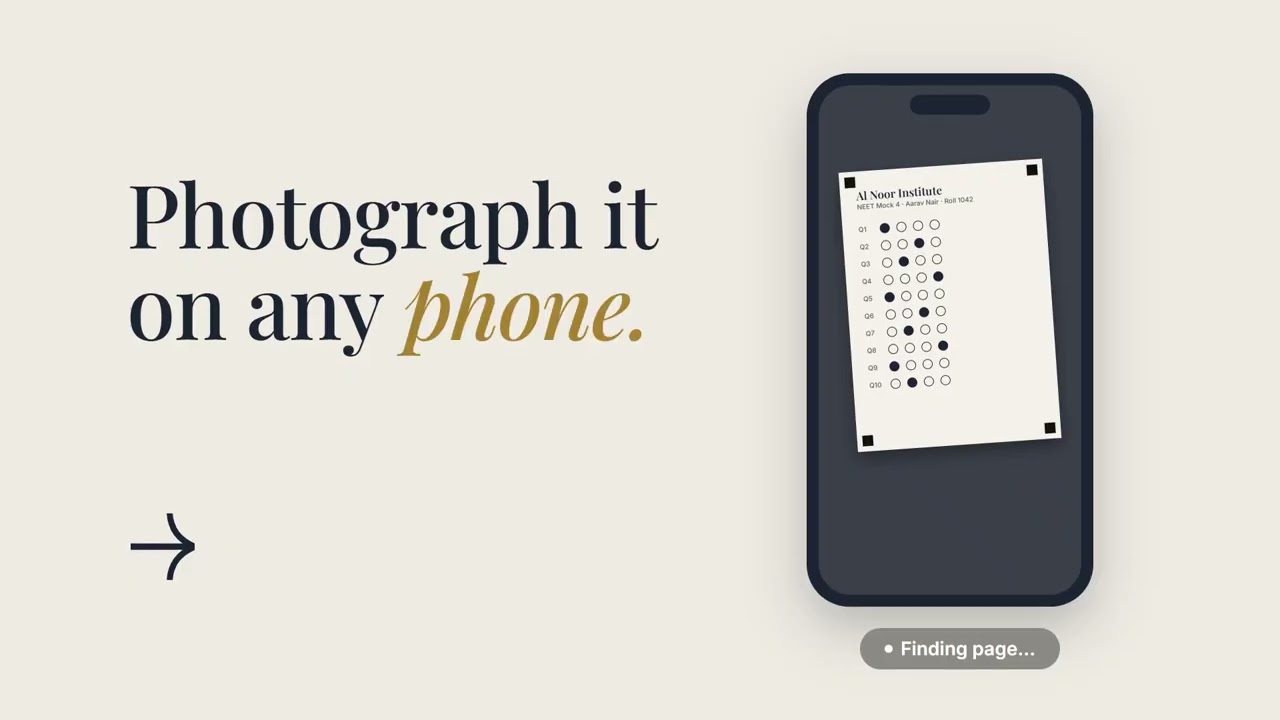
Results shouldn’t take all week. Print a sheet for every student, with their name and a QR code. Photograph the answered sheets with an ordinary phone. No scanner needed. A bad photo is flagged while the paper is still in your hand. Unclear marks wait for a person, beside the original sheet. Nothing is guessed. Get results by batch, by branch and by student. Exam Engine by Alteable. Book a demo today.
Watch
See how it works
Print a sheet for every student, photograph the answered sheets with a phone, and get results by batch, branch and student.
- Print a sheet for every student
- Photograph the answers with any phone
- Get the results
All names and numbers in the video are sample data.
Product walkthrough
What Exam Engine does
Follow one test from setup to results. Every screen below is rebuilt from the real app, so what you see here is what your staff will use.
Stage 1
Set up the test
Pick a sheet, load the answer key, decide how marks work. Done once per test.
- Ready sheet layouts (live)
- Answer keys fast (live)
- Flexible marking (live)
- 1
Choose a sheet layout
NEET-style, JEE-style or two pages with numerical answers.
Sample sheet - 2
Import the answer key
From PDF, Word, a scanned page, CSV or Excel. Check it before it saves.
Sample data - 3
Set the marking rules
Marks, negative marking, multiple marks and bonus questions with a reason.
Stage 2
Print sheets and match every student
Each printed sheet knows who it belongs to. If one can't be matched, staff assign it by hand.
- QR and sheet codes (live)
- 4
A sheet for every student
The four black corner squares let the reader line the photo up by itself.
Sample sheet - 5
Unmatched? Assign it by hand
A smudged code never guesses. Staff pick the student from the scan.
Sample data
Stage 3
Photograph and upload
Use a phone camera or upload scans. Exam Engine warns you about bad photos while the paper is still in your hand.
- Phone photo or scan (live)
- Safe by design (live)
- 6
Take a photo or drop files
An ordinary phone camera is enough. Simple tips sit beside the upload.
- 7
Bad photo? Retake it now
Warnings appear while the sheet is still in your hand.
Sample data - 8
Mistakes are caught for you
Wrong test, duplicate scans and a missing key never reach your results.
Sample data
Stage 4
Review the unclear marks
Faint, double or half-filled answers wait for a person. The scan sits next to the measured fill, so deciding takes seconds.
- Human review queue (live)
- 9
See the scan, pick the answer
The flagged question is centred on the scan, with its measured fill beside it.
Sample data - 10
Numerical answers too
Digit columns show their fill, and faint digits are highlighted.
Sample data
Stage 5
Read the results
From the whole class down to a single student. Filter by branch, batch or stream and every number follows.
- Results that mean something (live)
- Student reports (live)
- 11
Class results and analytics
Averages, score bands, batch comparison and subject-wise performance.
Sample data - 12
A report for every student
Share it as a link or a PDF. Strong and weak topics are marked in words, not just colour.
Sample data
Stage 6
Control who sees what
Branch managers only see their own branch, and nothing is deleted by accident.
- Roles and branch access (live)
- Safe by design (live)
- 13
Add staff with the right role
Owner, Admin, Branch manager and Viewer.
Sample data - 14
Archive first, delete last
Permanent deletion stays locked until a test is archived.
Sample data
Coming soon
- Parent email
- AI analysis: weak-topic summaries and study suggestions
FAQ
Questions we hear most
Do I need a scanner?
No. Staff photograph the answered sheets with an ordinary phone and upload them.
How are students identified?
Every sheet carries a QR code and a printed sheet code. If a sheet cannot be matched, staff can assign the student by hand.
What happens when a mark is unclear?
The question is flagged and appears in a review queue beside the original sheet. A person confirms or corrects it. Nothing is guessed.
Which exams does it support?
Built-in layouts for NEET-style tests (180 questions), JEE-style tests (75 questions) and a two-page JEE-style layout with numerical answers. Marking schemes are configurable, and other layouts can be added on request.
Can each branch see only its own data?
Yes. Branch Manager accounts are limited to their own branch. Owners and Admins see the whole organisation.
What does it cost?
Plans depend on how many sheets you check. Book a demo and we will give you a quote.
Alteable OS for Education
Ready to take the repeating work off your team?
Book a demo and see Exam Engine, Alteable OS, Alteable Assignments or a custom automation built for your business.
Change is not the enemy. You are alteable.
Based in the UAE.